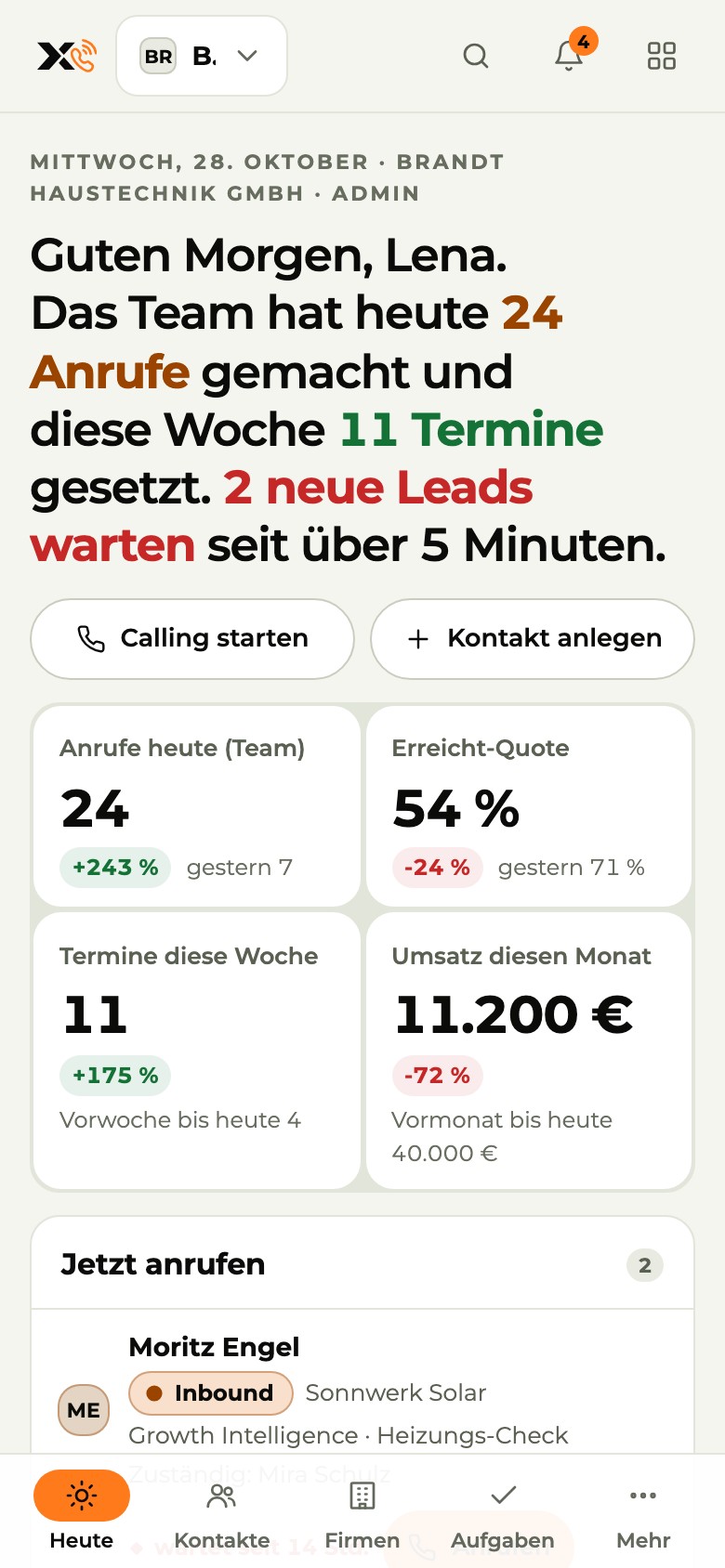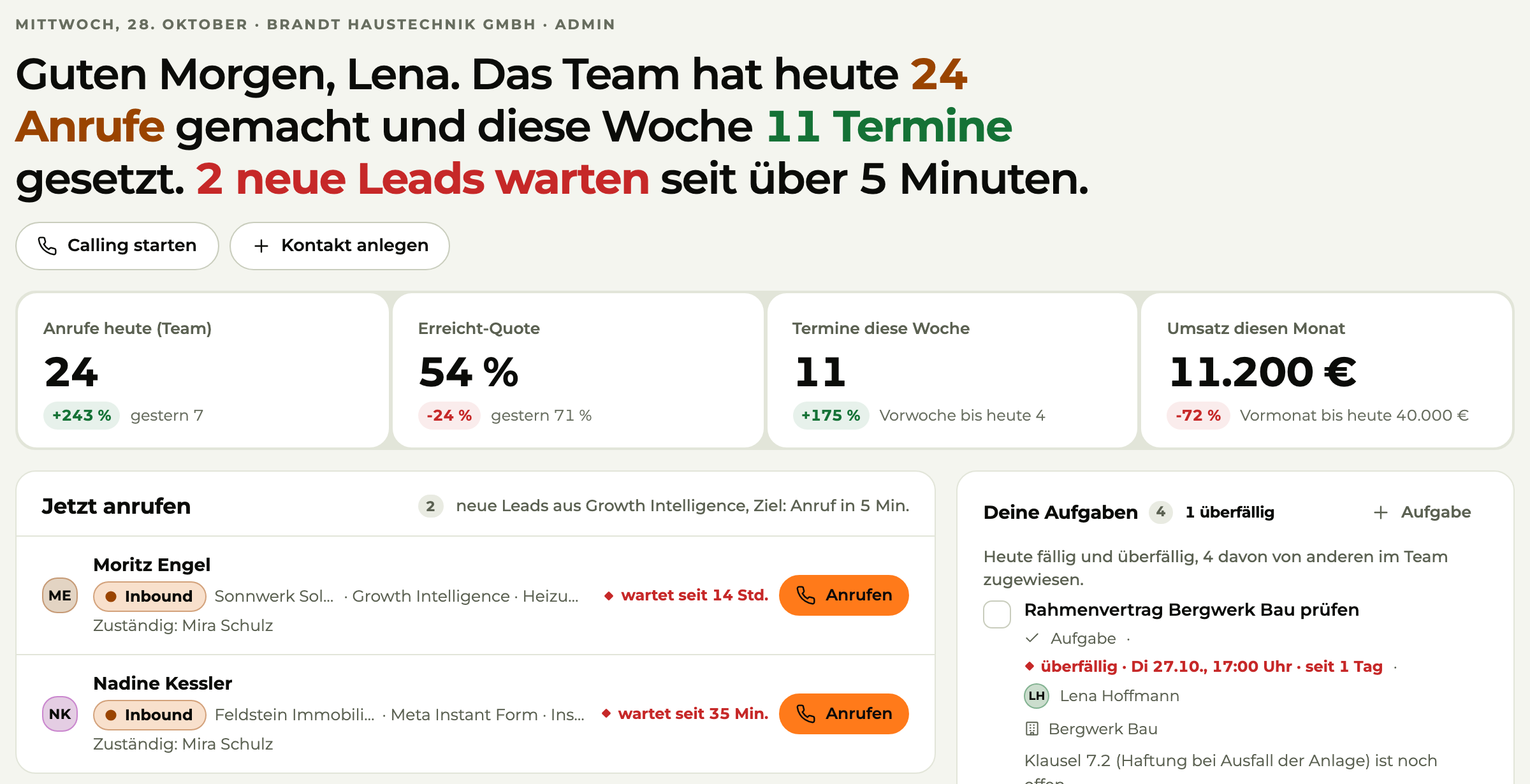



Today (detail): greeting with the team's calls and appointments, key figures and “Call now” with waiting leads
Today on the phone

Image 1 of 3: Today

Sample data

X3 CRM · for sales

One place for every inquiryand every existing customer of your business.

For a sales team that sells instead of spending hours on admin. Emails, quotes and conversations in one central place: set up in under 60 minutes, not weeks.

  • App for iPhone and Android

01The problem

The lead was hot. Nobody called.

In trades and services, a job is rarely lost on price. Usually it's lost because nobody got back in time.

  1. Leads go cold

    Inquiries come in by email, phone and form and end up in five different inboxes.

  2. The Excel sheet

    Everyone keeps their own version. Nobody knows which one is right.

  3. Who called whom?

    Nobody knows who was supposed to call back or what was discussed last time.

  4. Nobody follows up

    The quote went out. Nobody followed up.

02 The product

X3 CRM

Call, write, book appointments.

Contacts, call lists, tasks, appointments and pipeline in one place. Built for businesses where the boss is on the phone too.

Open the app
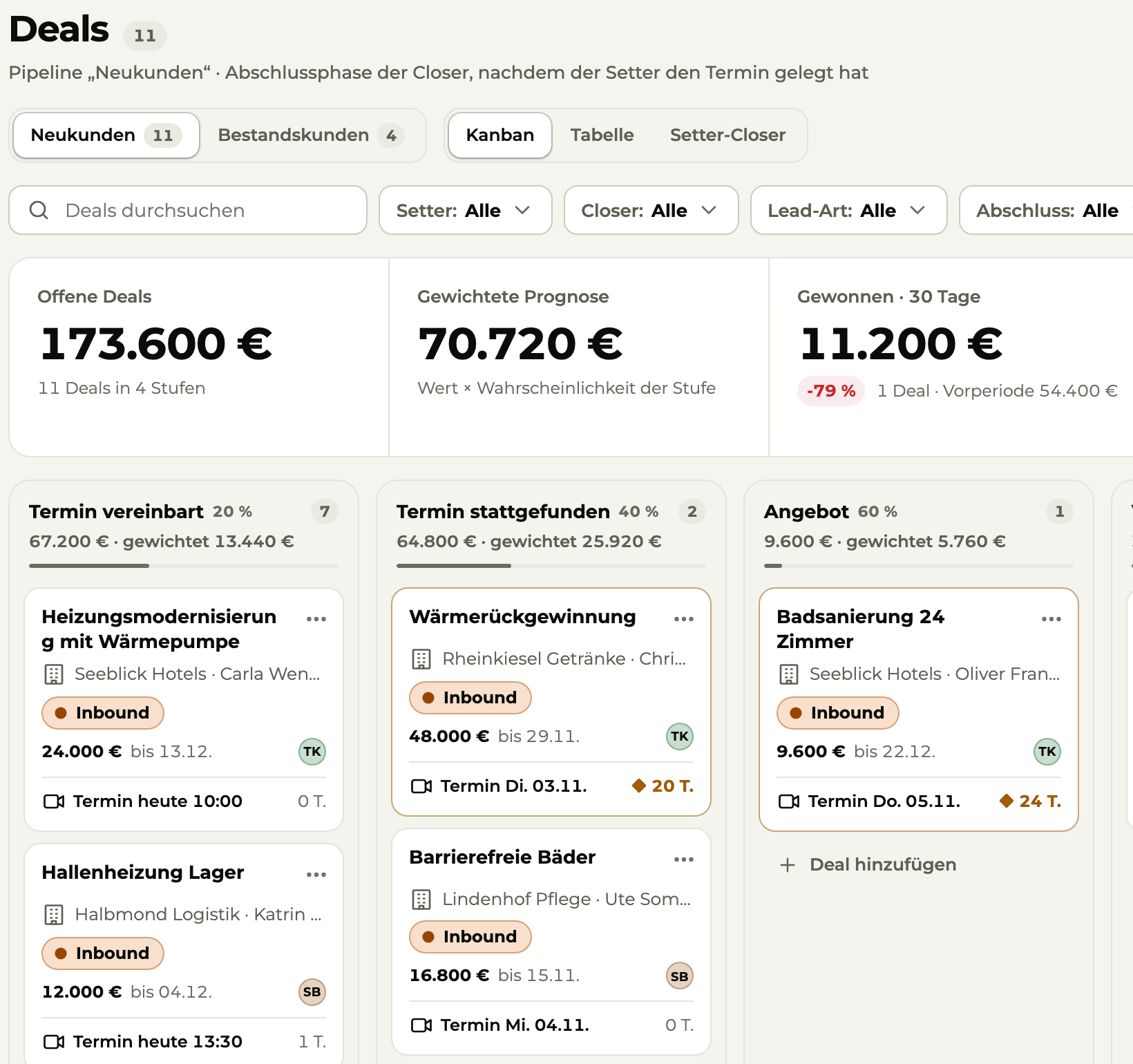
Pipeline “New customers” (detail): key figures and deals per stage with value, appointment and lead type
Sample data
  • Deals per stage with value and date.

  • With lead status and source, filtered in one click.

  • Calling sessions that several people work through at once.

  • Synced with your calendar.

  • The Today list on your phone.

03Hot leads first

You know who's calling before you pick up.

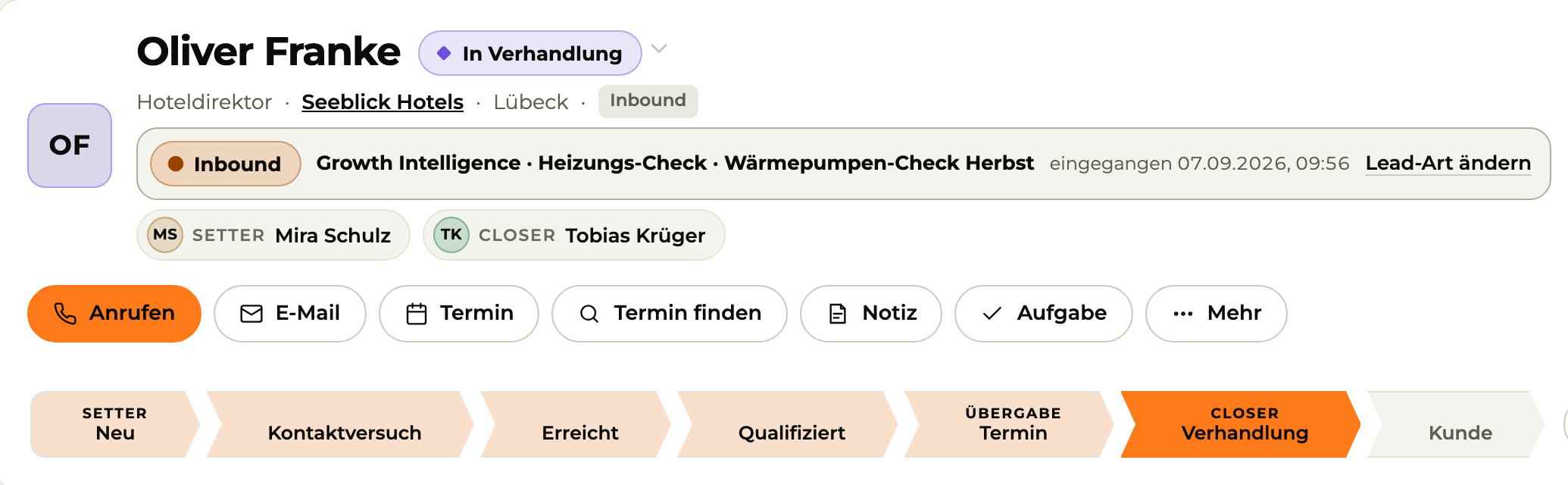
Every inquiry from Growth Intelligence is in the CRM within seconds. With the ad, the campaign and the pages visited. The hot ones are on top.

  • Assigned automatically: round robin, to the team lead or to a fixed person
  • Task “Call within 5 minutes” sent right away by push and email
  • Forms, Meta lead forms and bookings in the same inbox
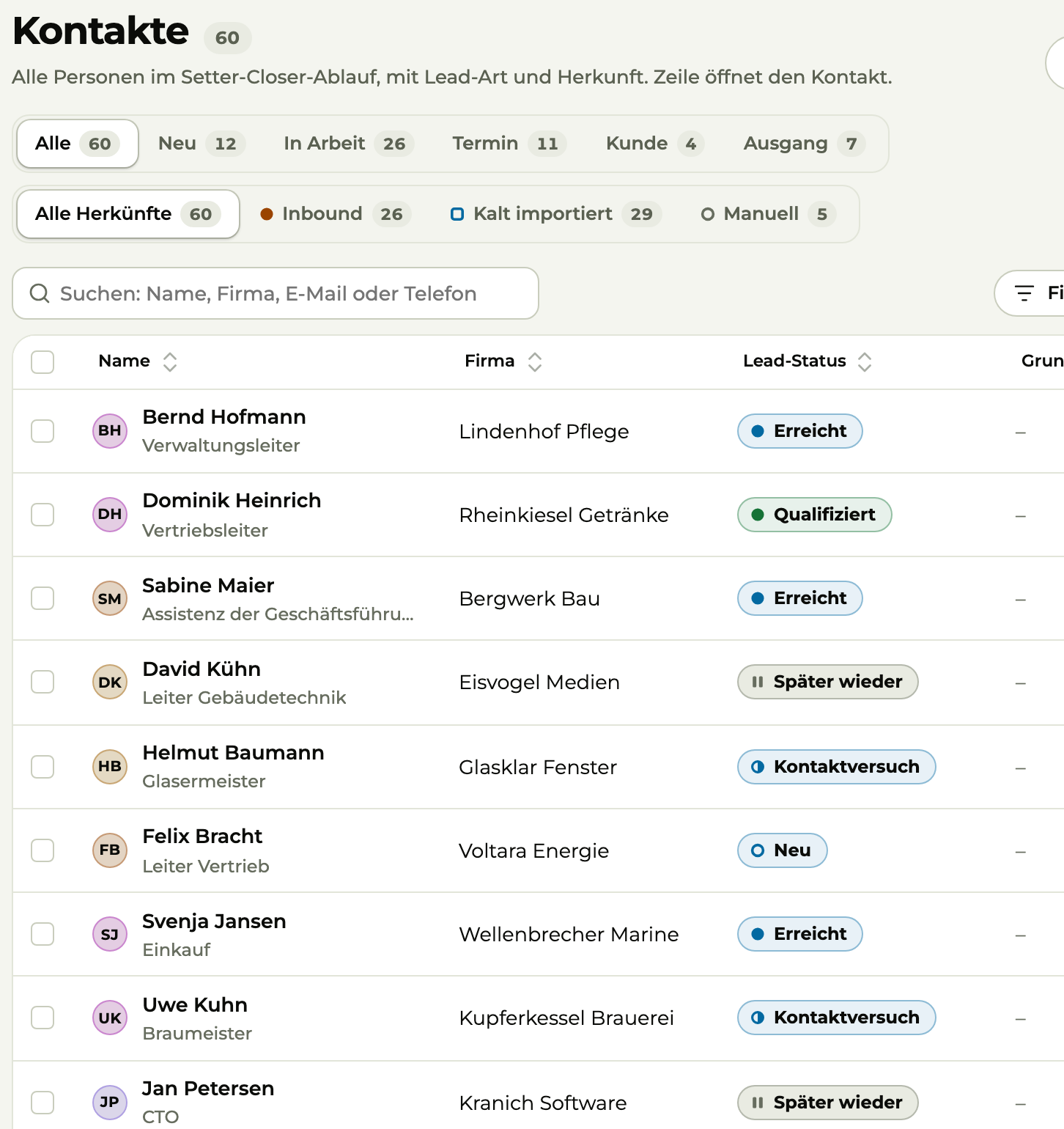
Contact (detail): origin from Growth Intelligence with campaign and inbound date, setter, closer and status bar
Sample data
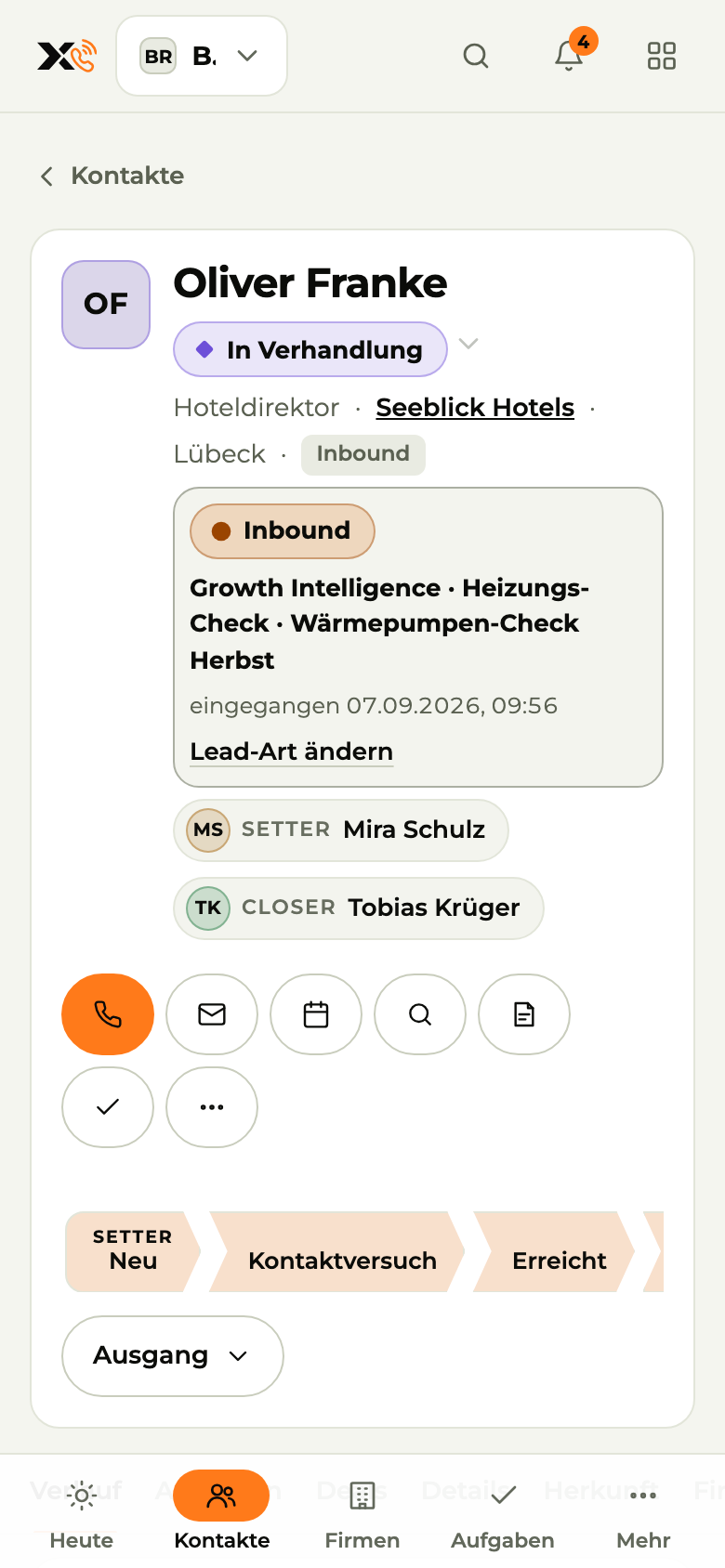
Contact on the phone: call, email, appointment with one tap
Sample data

04Calling

The call list works with you.

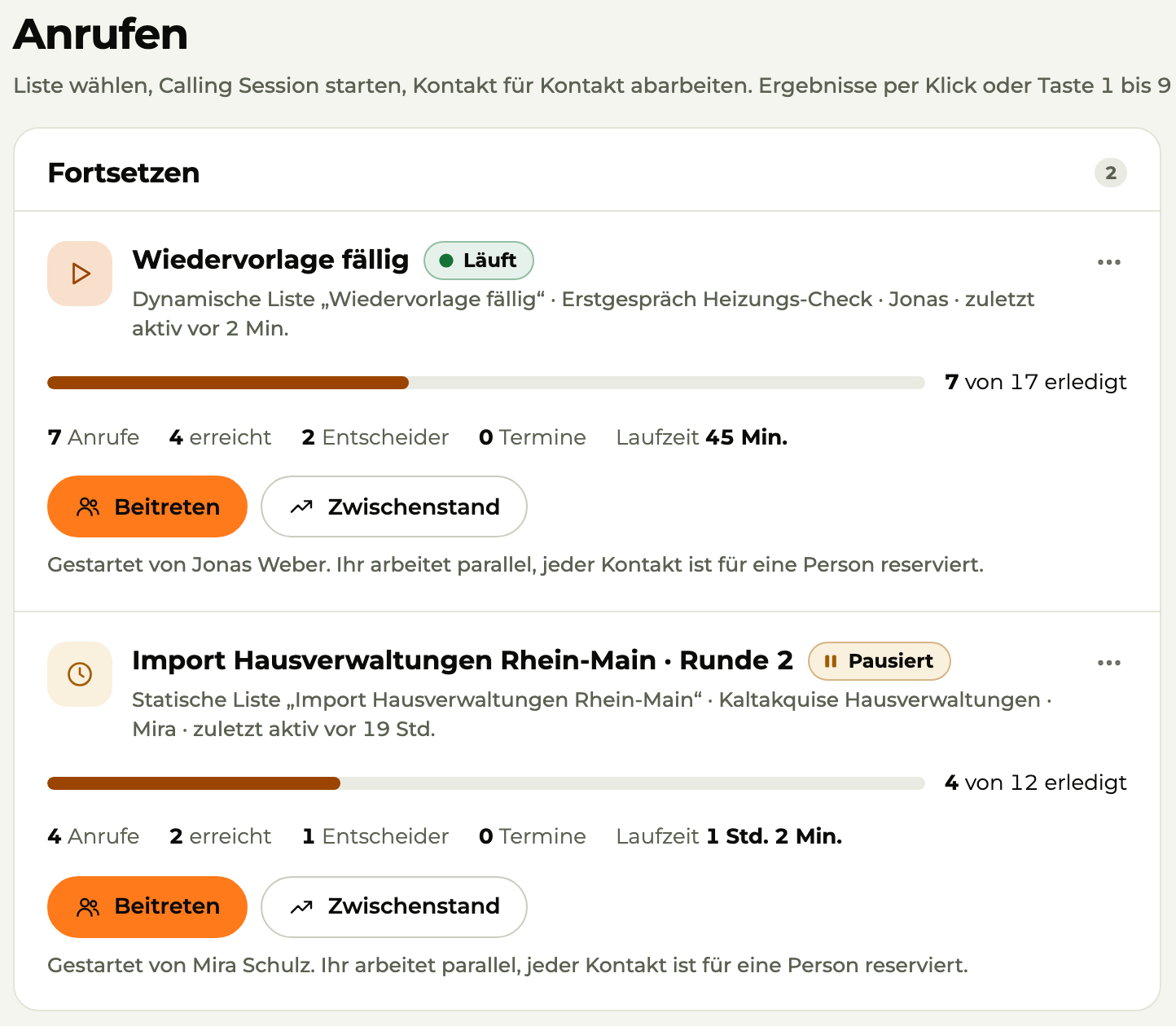
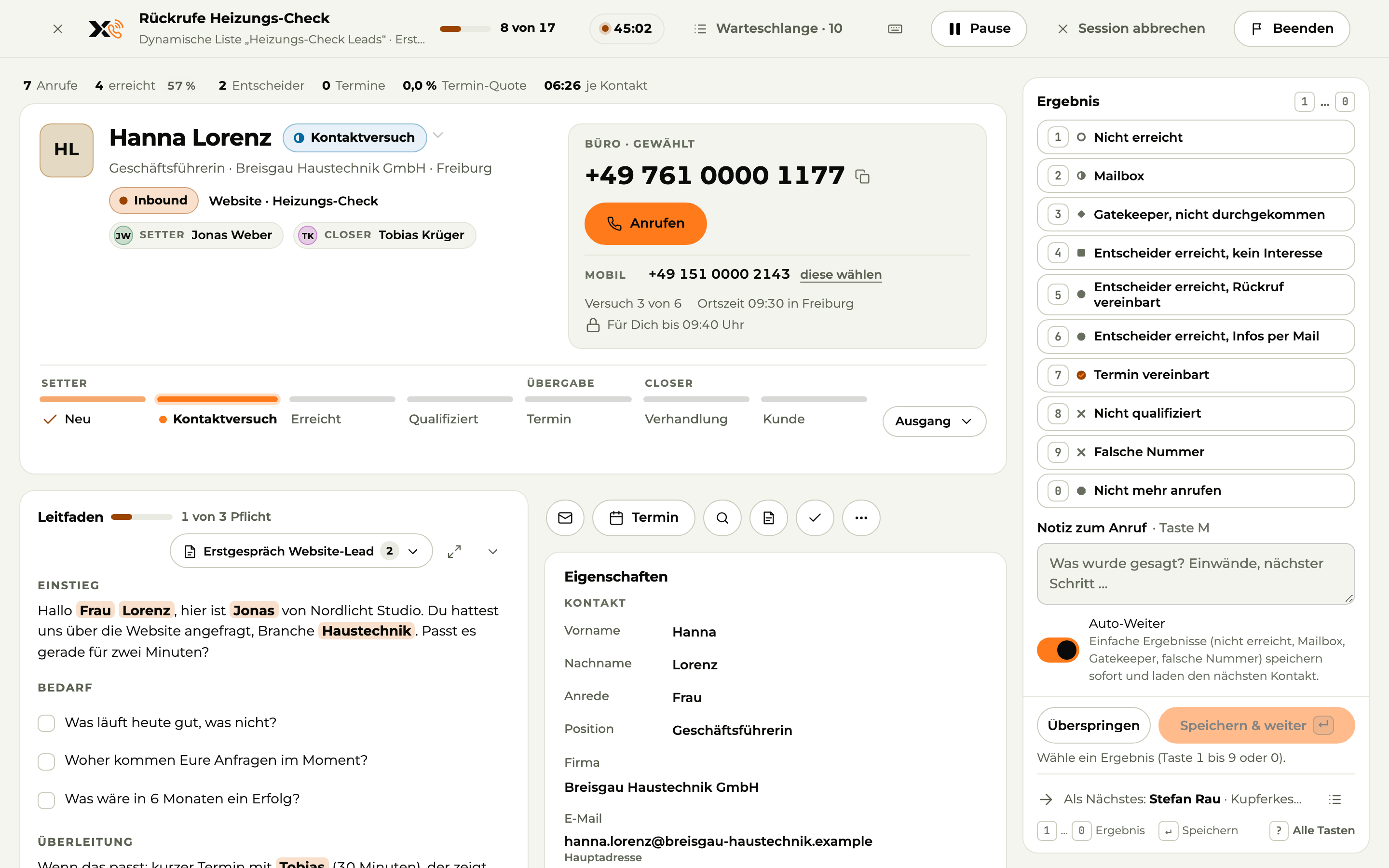
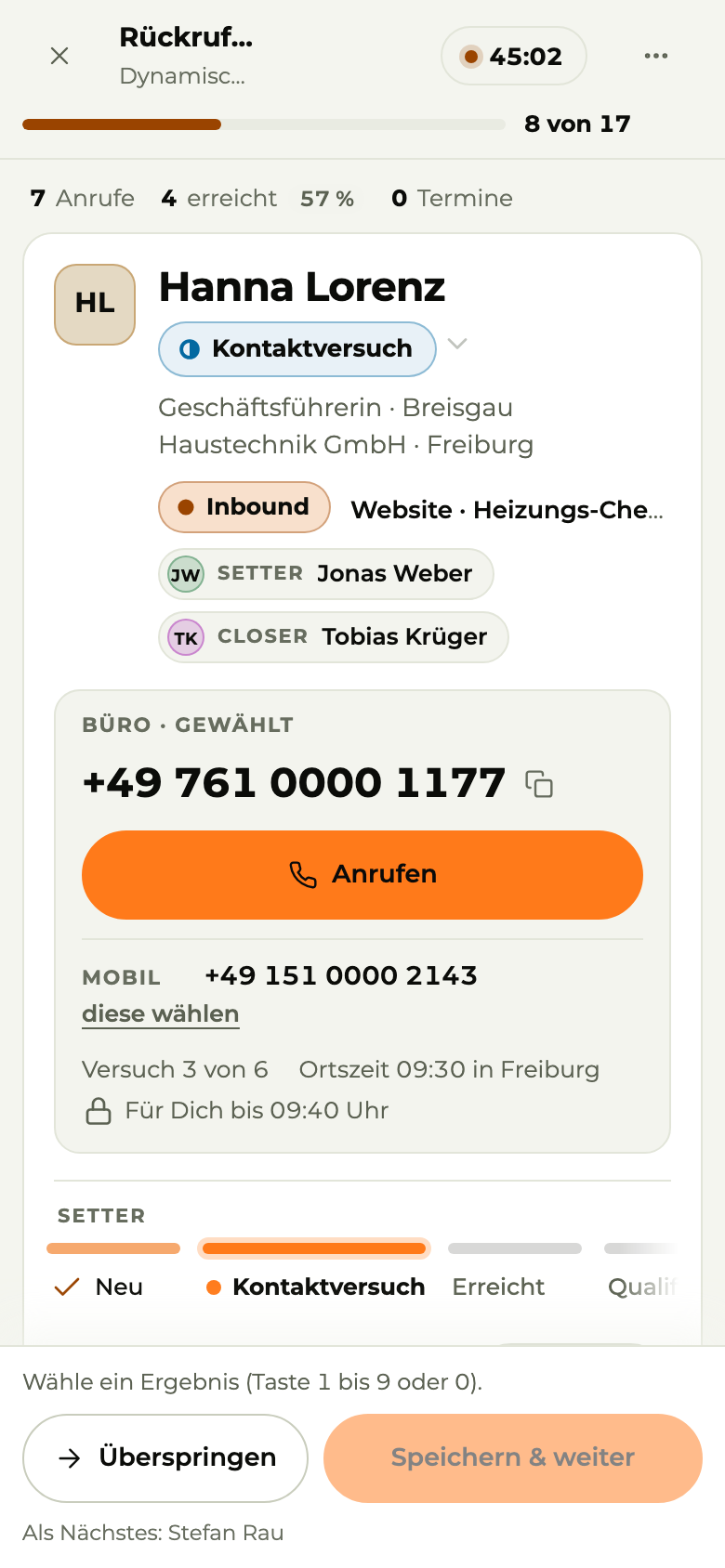
Start a session from a list or from your calls that are due. X3 CRM shows the next contact, the script and their local time. You dial from your own phone.

  • Log the outcome with keys 1 to 0, the follow-up schedules itself
  • Several people call at once, nobody gets the same contact
  • Answers from the script go straight into the contact
Calling session (power dialer): contact, number, call script with questions and outcomes by keystroke
Sample data
Calling session on the phone: contact, number, call
Sample data

05Tasks

Follow-ups happen. Not someday.

Callback, email, quote follow-up: every task has a due date and a name on it. Anything overdue sits in red at the very top. X3 CRM creates follow-up tasks on its own, based on your rules.

  • My tasks and team tasks kept apart
  • Overdue, today, upcoming in one click
  • Fixed lists or automatic ones based on rules
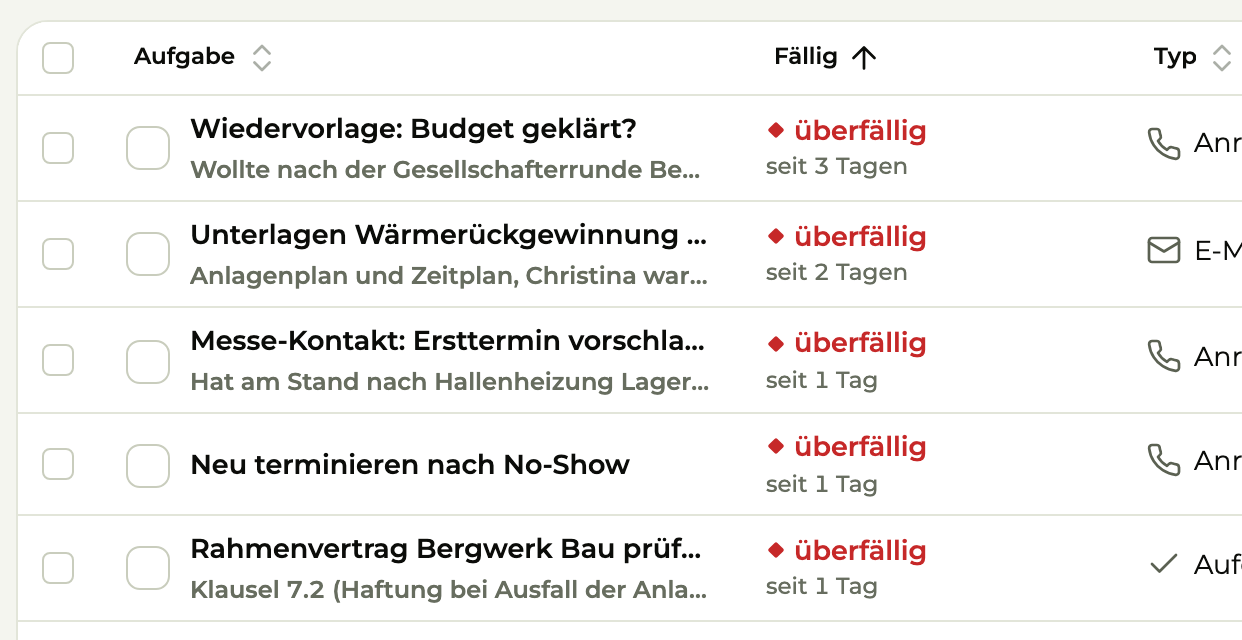
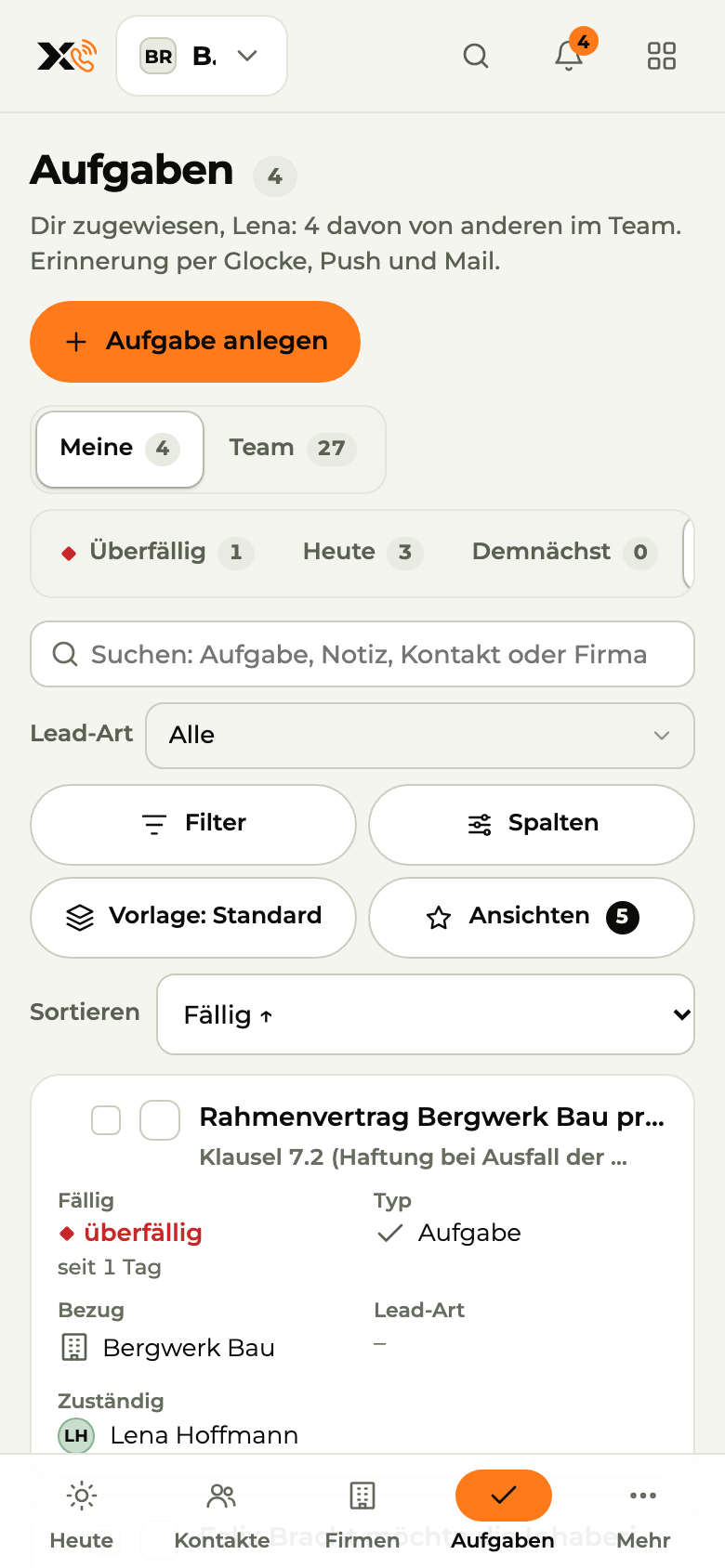
Tasks (detail): overdue callbacks, emails and follow-ups in red at the top
Sample data
Tasks on the phone: overdue callbacks and follow-ups first
Sample data

06Appointments

Customers book themselves. Nothing gets lost.

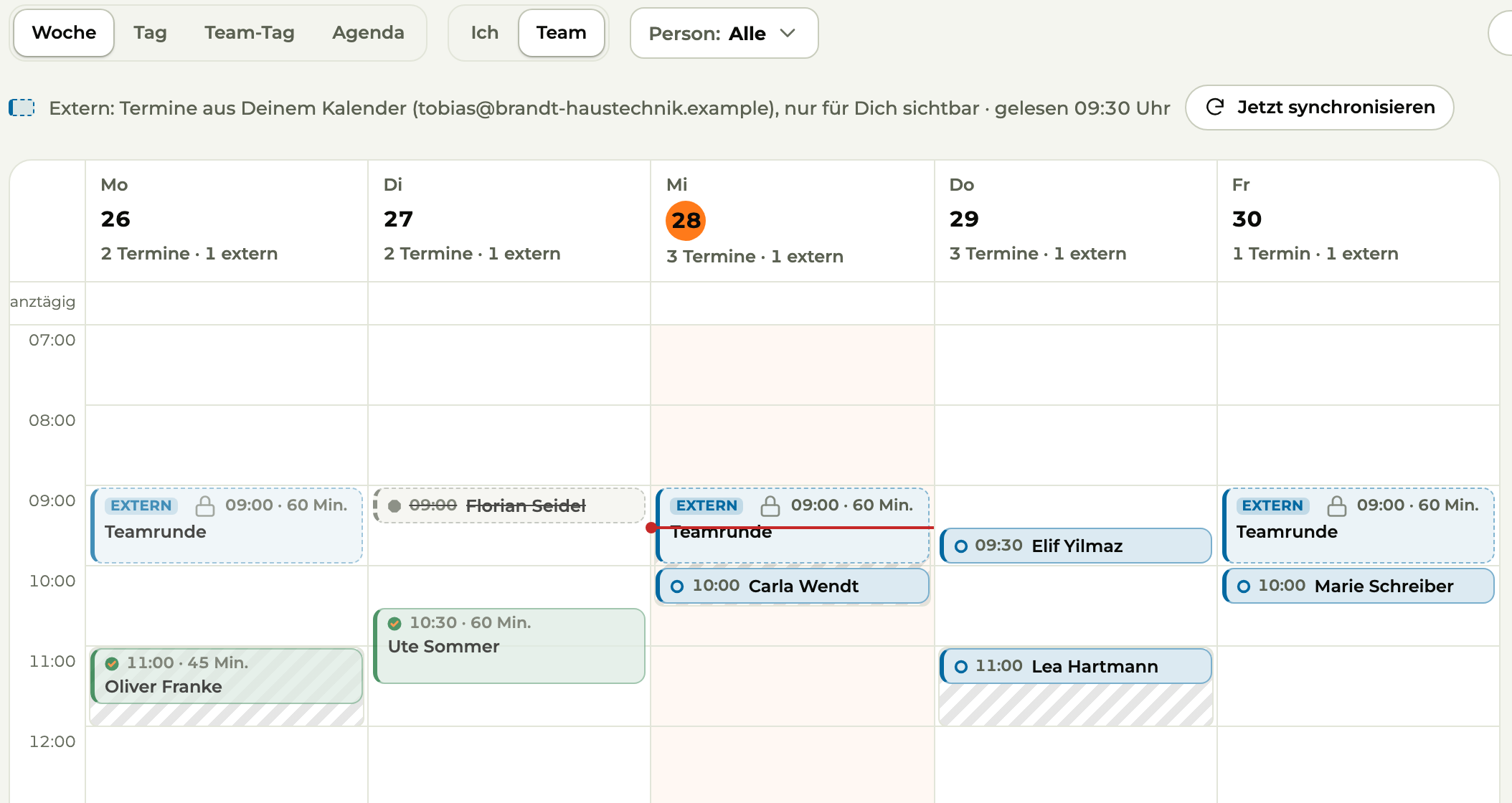
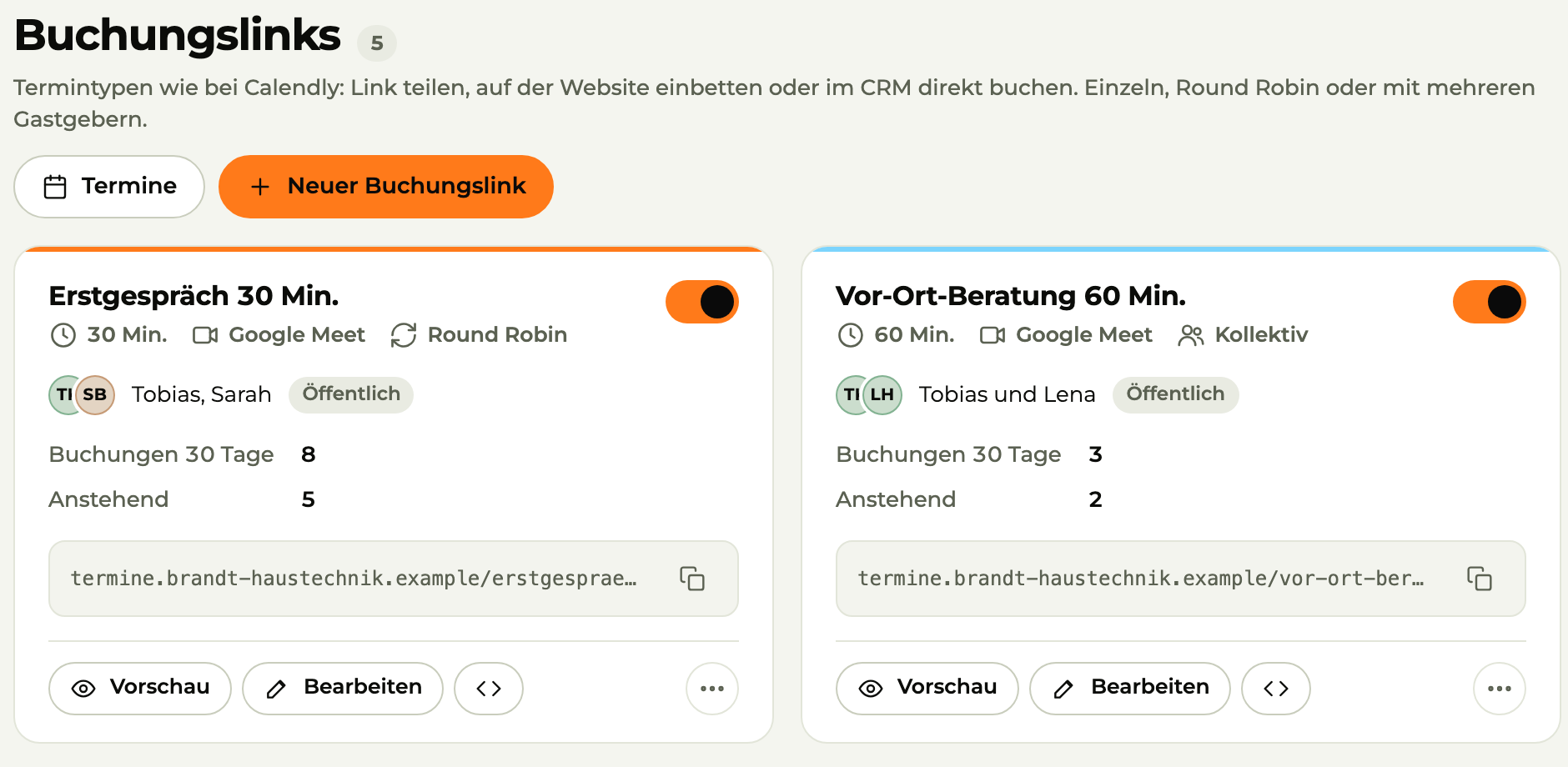
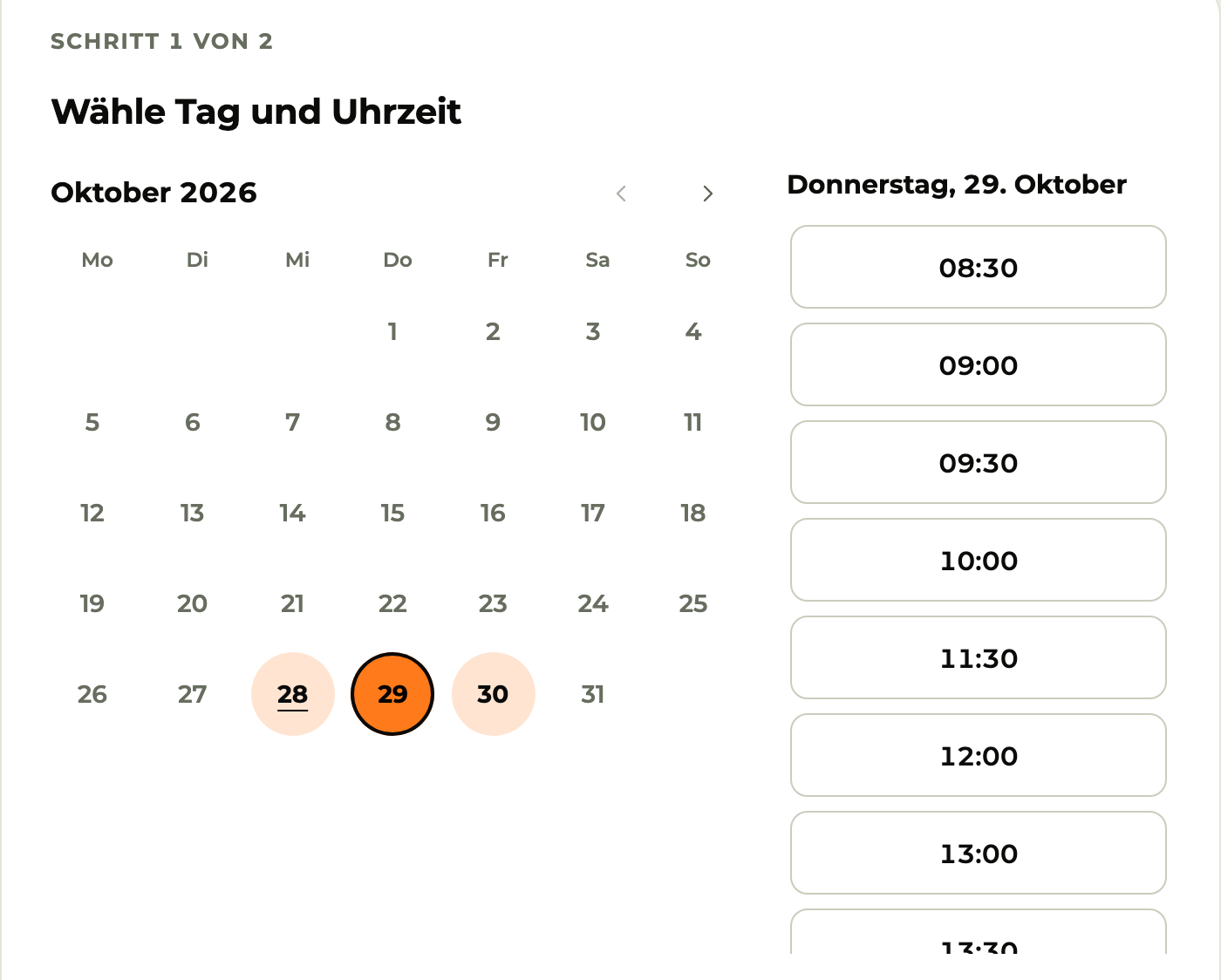
Booking links like Calendly, just inside your CRM. On your website, in an email or sent via WhatsApp. The appointment lands right on the contact.

  • Synced with Google Calendar or Outlook
  • On site, by phone or by video with Meet, Teams or Zoom
  • On your domain with your logo, reminders go out on their own
Booking page (detail): calendar with free days and times to book
Sample data

07Setters and closers

Setters book meetings. Closers make revenue.

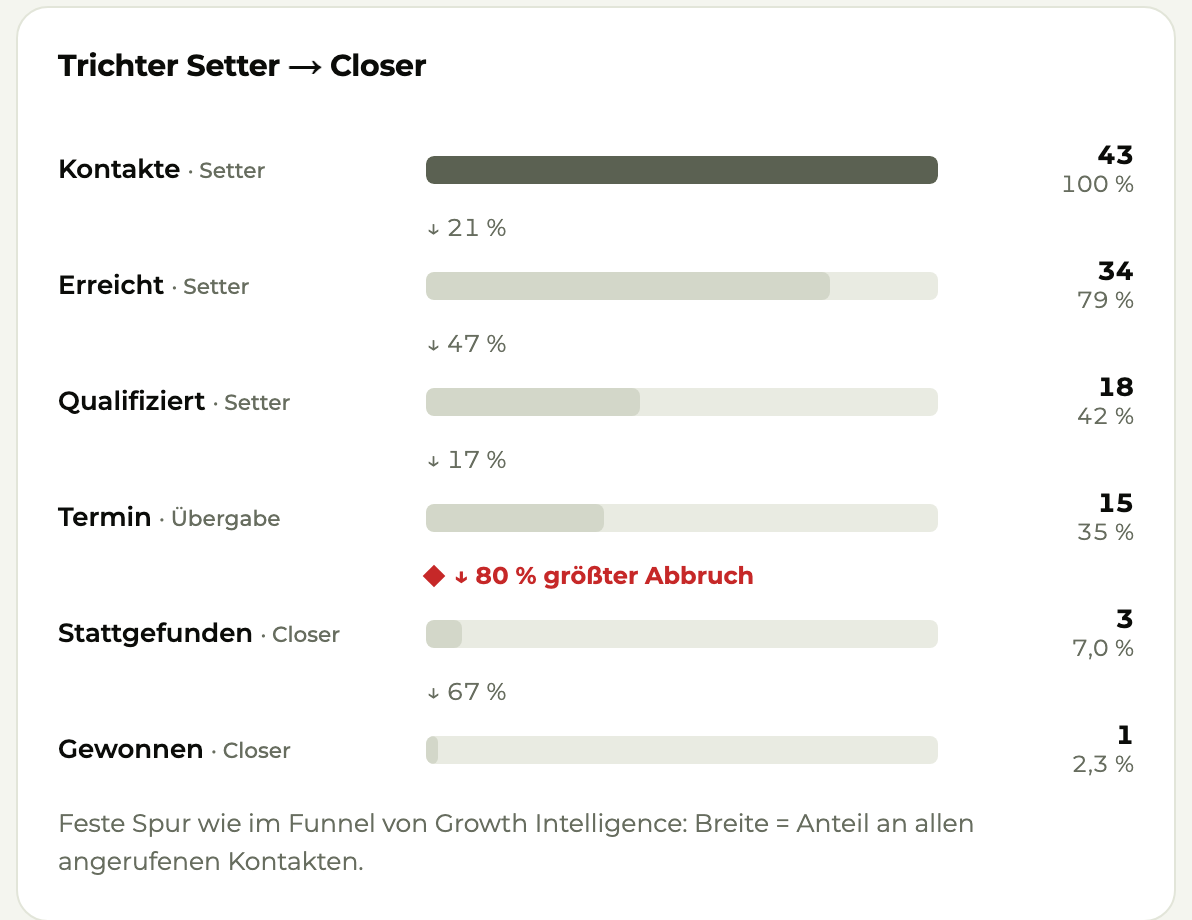
Every role has its own Today list. The pipeline shows what's on the table and warns you when a deal sits in one stage for too long. Working alone? Then you're both.

Reports (detail): setter to closer funnel from contact to won, with the biggest drop-off
Sample data
  1. Setter

    Calls and qualifies

    Works through the call list, clarifies the need and books the meeting.

    Meeting booked

  2. Closer

    Runs the meeting

    Takes over with everything the setter learned and closes the deal.

    Order signed

  3. Team lead

    Sees everything

    Assigns leads and sees the pipeline and reports per person, list and source.

    Knows where things get stuck

  4. Viewer

    Reads along

    Sees contacts and the pipeline but doesn't change anything.

    Read-only access

08On the go

Your CRM in your pocket.

As an app, X3 CRM is called X3 Sales, and in the browser it shows up as Sales Engine. So you have Today, contacts, calls and appointments with you on site. After every call the app asks how it went. One tap, done.

  • iPhone, iPad and Android
  • Push for new leads
  • Scan a business card, the contact is created
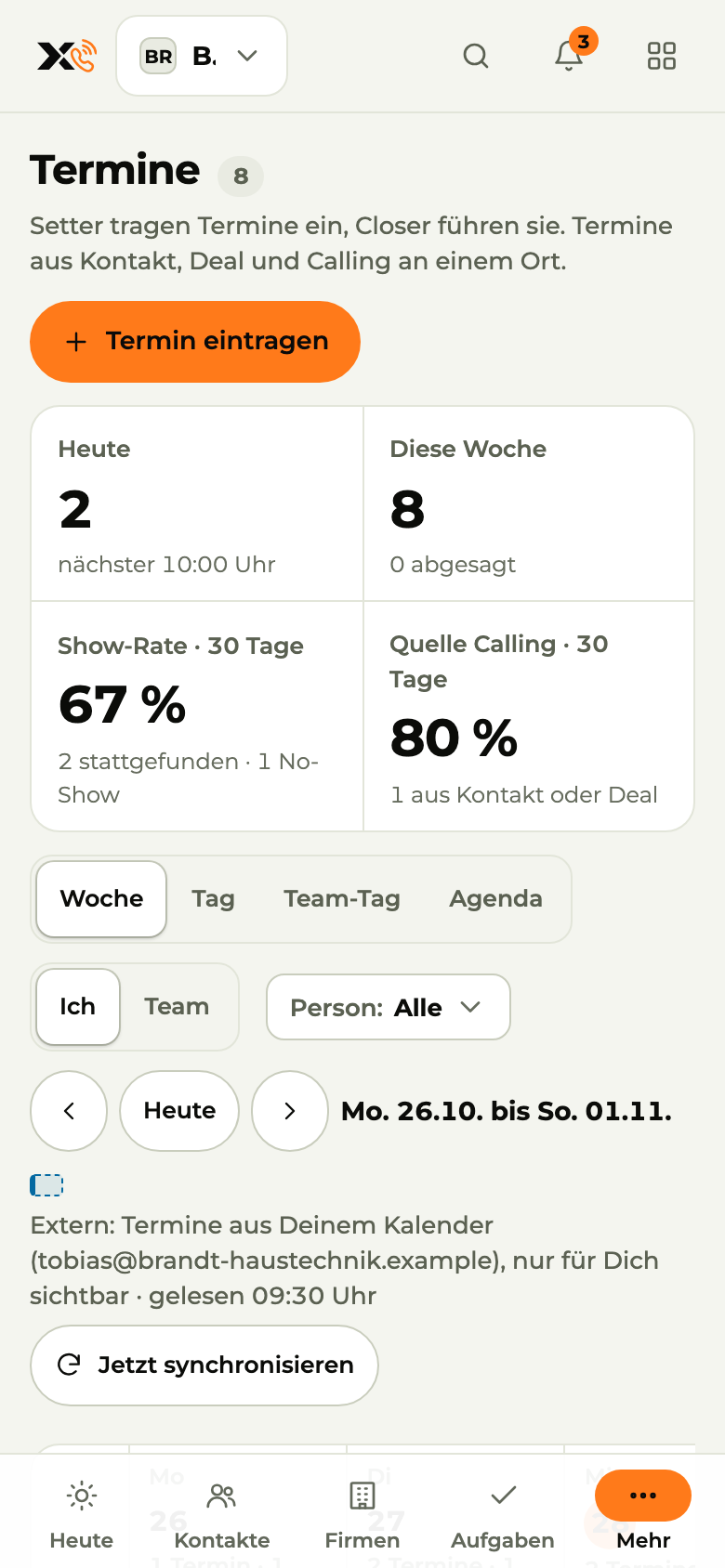
Appointments on the phone: what's up next, with join
Sample data

09Better with X3

One account. The loop closes.

X3 CRM sits in the middle. The inquiry comes from marketing, the order moves on to the back office, and the revenue flows back to your ads.

  1. Click to Inquiry

    X3 Growth Intelligence · Marketing

    Every inquiry comes with its source, the pages visited and an interest level. Spam and test inquiries stay out.

  2. Inquiry to Order

    X3 CRM · Sales

    Your team calls and books the meeting. Contacted, meeting, customer: the status goes back to Growth Intelligence, and your ads learn who buys.

  3. Order to Invoice

    X3 Automation · Process automation

    X3 Automation writes emails, schedules meetings and sends receipts to DATEV, with your approval.

+1,500 more apps via X3 Automation

10Pricing

Starter costs nothing. Pro once your team picks up the phone.

Starter is free, forever, for up to 3 users. Pro and Business are paid per user, 20% less with yearly billing.

Starter

Free forever: contacts, deals and hot leads for small teams.

€0/ month

up to 3 users · forever, no credit card


Start for free
  • Contacts, companies, deals, tasks
  • Hot leads from Growth Intelligence
  • Meetings and a booking link
  • E-mail sync for Gmail and Outlook
  • Mobile app
  • “Powered by X3” on the booking page and in e-mails

Pro

Recommended

For teams that make calls: power dialer, call scripts and reporting.

€39per user / month

unlimited users · billed yearly

You save €120 per user a year

Choose plan
  • Everything in Starter, unlimited users
  • Power dialer with call scripts and outcomes
  • Calling sessions and lists
  • E-mail templates, opens and clicks
  • CSV import, reporting
  • Claude/MCP on your own CRM data
  • No “Powered by X3”

Business

For sales teams with setters and closers, custom domains and roles.

€69per user / month

billed yearly

You save €204 per user a year

Choose plan
  • Everything in Pro
  • Setter/closer team with handover and reporting
  • Custom domains and branding
  • “Own contacts only” visibility, roles
  • Audit log, inbound rules
  • Personal setup

Without the add-on, you call from your own phone or mobile and X3 charges no per-minute costs. With the telephony add-on, you call straight from X3 CRM. With monthly billing you can cancel monthly. Telephony prices

Better together: 15% off with two X3 products, 25% with all three. All prices and the bundle discount

All prices are net, for businesses only (B2B). good vibes GmbH is not registered for Swiss VAT, so no VAT is charged. EU businesses book with their VAT ID (reverse charge).

11Questions

Short questions, short answers.

Do I need X3 Growth Intelligence for this?

No, X3 CRM works on its own too. With Growth Intelligence your inquiries land in the CRM automatically, with source and interest level. Closed deals flow back to your ads.

Does X3 CRM make the calls itself?

No. You dial from your own phone. X3 CRM gives you the list and the script and records the outcome.

Which inboxes can I connect?

DE or T-Online. You sign in directly with your provider. We never see your password.

How do I get my Excel sheet in?

Import it as a CSV. X3 CRM checks for duplicates and asks for each import where the contacts come from and whether you're allowed to call them.

I work alone. Is it worth it?

Yes. You're setter and closer in one person. The Today list, booking links and follow-ups save you the paper chaos, even without a team.

Is there an app?

io). Today, contacts, calling and appointments, with push for new leads and business card scanning right on your device.

12Get started

Call back today.

Switch it on, bring in your contacts, connect your inbox and calendar.Except for switching it on, you can skip every step.

Rather talk?